Your event command center in one screen.
Eventas Dashboard brings together the most important operational signals across events, tasks, vendors, teams, and workflows so leadership and execution teams can monitor progress, identify issues earlier, and act with more confidence.
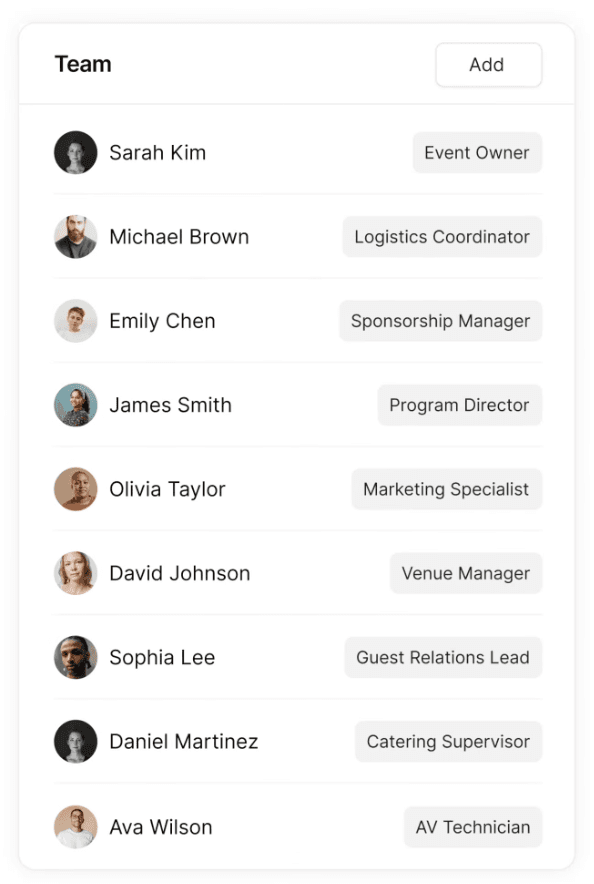
What it does for your team
What Eventas Dashboard does for your team
Six ways Eventas Dashboard helps teams move from scattered updates to structured operational visibility.
Give leadership a high-level operational view
Event Directors can see event summaries, risk indicators, budgets, vendor performance, and pending approvals from one control layer instead of chasing updates manually.
Help operations teams monitor execution daily
Operations Managers can track task progress, pending items, vendor coordination updates, and incident alerts so day-to-day execution stays visible and actionable.
Provide role-appropriate views for external users
Vendors or external users can see deliverables, assigned tasks, and deadlines relevant to their role without exposing unnecessary data.
Surface the KPIs that matter most
Track upcoming events, pending tasks, budget utilization, timeline status, risk score, team workload, and automation health through configurable widgets.
Adapt the dashboard to different workflows
Users can add, remove, and rearrange widgets to match their own workflow preferences instead of being forced into one rigid dashboard structure.
Turn visibility into faster action
Live notifications for approvals, status changes, and critical updates make the dashboard not just informative, but operationally useful throughout the event lifecycle.
Core capabilities
Everything built into one view
Six integrated capabilities that give your whole team the operational clarity they need.
Role-Based Views
Tailor the dashboard to different user needs, from high-level decision-making to on-the-ground operational execution and external deliverable tracking.
Operational Widgets
Use configurable dashboard blocks for events, tasks, budget utilization, timeline status, risk score, team workload, and automation health.
Live Alerts
Keep approvals, critical updates, and status changes visible inside the dashboard instead of buried across tools and messages.
Workflow Personalization
Allow users to add, remove, and rearrange widgets so the dashboard reflects how they actually manage events.
Cross-Module Visibility
Bring together insights from connected Eventas modules to create a more complete operational picture across the platform.
Plan-Based Dashboard Depth
Start with essential widgets and metrics, then unlock advanced filters and role-based dashboard tailoring in higher plans.
Built for the roles running the event
The Dashboard is role-specific by design, every user sees the visibility level that matches their responsibilities.
Event Directors
See high-level event summaries, risk indicators, budgets, vendor performance, and pending approvals to support faster strategic decisions.
Operations Managers
Track daily task progress, pending items, vendor coordination updates, and incident alerts to keep event execution on course.
Event Managers
Use connected dashboard visibility to monitor progress across events, teams, tasks, and workflow activity without switching across disconnected tools.
Vendors and External Users
Access assigned tasks, deliverables, and deadlines through controlled, role-appropriate dashboard views.
Frequently asked questions
Everything you need to know about Eventas Dashboard.
Bring every part of event delivery into one workspace
Manage events, people, tasks, vendors, contacts, and sponsor relationships with more structure, clearer ownership, and better operational visibility across every event.